
In a modern VoIP-based phone system, a structured and professional call experience is no longer just a need; it must be one of the main pillars of customer service. This is where Call Flow Designer (CFD) from 3CX comes in as a complete solution for designing call flows to fit your business needs.
What Is Call Flow Designer?
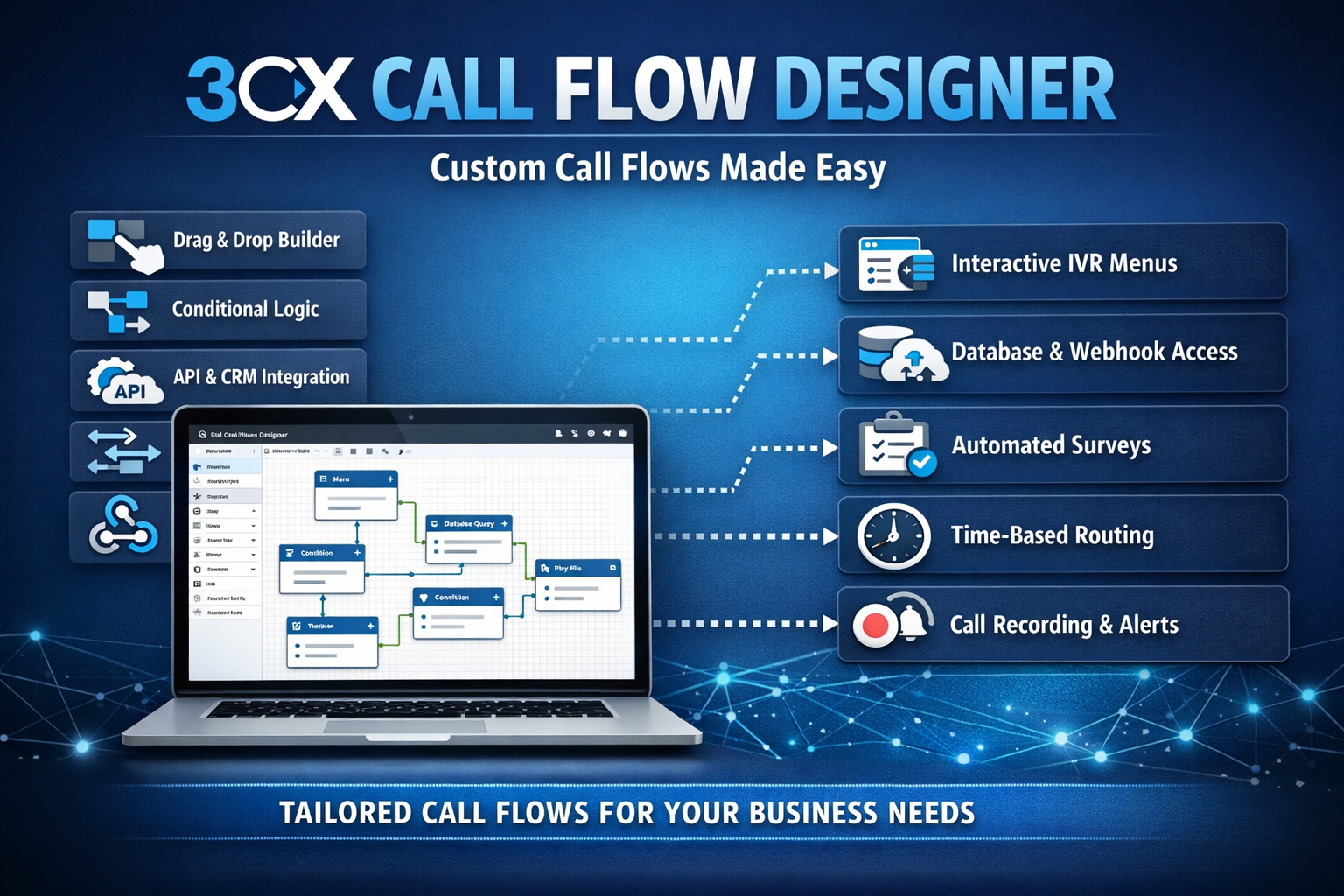
Call Flow Designer is one of the flagship features in the 3CX phone platform that lets administrators or developers build complex call logic visually and flexibly, without heavy coding like classic programming languages.
With CFD you can:
✅ Build interactive call flows
✅ Set the “journey” of a call based on certain data and conditions
✅ Integrate external logic (for example a database, CRM/ERP systems)
✅ Build IVRs, dynamic routing, auto attendants, and much more
All of this is done through a flow chart-based drag-and-drop interface, so even non-technical people can understand it quickly.
Main Features of Call Flow Designer
Here are the 3CX CFD features that are the most useful and commonly used:
🔹 1. Drag & Drop Visual Workflow
Call flow designs are packaged as process blocks that can be dragged and arranged.
No manual coding needed: just connect the blocks according to the logic you want.
🔹 2. Variable & Data Handling
CFD can manage variables such as:
📍 Caller ID
📍 Keypad input (DTMF)
📍 Data from a webhook/API
📍 User / other system information
Variables can be used to determine routes, answer questions automatically, or store call information.
🔹 3. Conditional / Branching Logic
You can create conditions such as:
➡ If a call comes in during working hours → route to the agent queue
➡ If outside hours → play a message and direct to voicemail
➡ If the call is from a VIP → go straight to the supervisor
This makes call flows smarter and better suited to your needs.
🔹 4. Integration with Other Applications
CFD can be triggered by a webhook or API so it can connect to various systems such as:
📌 CRM (e.g. Kommo, Zoho, Salesforce)
📌 Internal databases
📌 Support ticket services
📌 Notification systems
🔹 5. Recording, Timers, and Error Handling
You can set up call recording, perform timeouts, and define fallback steps when an error occurs.
Benefits of Call Flow Designer for Business
✅ 1. A More Professional Call Experience
With CFD, all calls can go through structured logic, for example an automatic greeting + menu options, without a human having to answer directly.
🎯 This creates an impression of consistent and standardized service.
✅ 2. Automating Customer Interactions
Instead of operators repeating the same questions, CFD can ask for data automatically, for example:
🔹 “Enter your customer number…”
🔹 “Press 1 for billing, 2 for support…”
This speeds up problem resolution and reduces agent workload.
✅ 3. Smart Routing and Resource Management
CFD enables call routing based on:
📍 operating hours
📍 customer type
📍 agent availability status
📍 customer historical data
The result: calls are more efficient and in sync with your business operations.
✅ 4. Real-Time Customer Data Integration
With an API / webhook, CFD can:
✔ Show customer data when a call comes in
✔ Send tickets automatically
✔ Update the CRM after the call ends
This helps the support team work with full context, not just a phone number.
✅ 5. Unlimited Customization
Because flows can be built to your needs, you are free to implement:
🔹 Multilingual IVR calls
🔹 Automatic surveys after a call
🔹 Specific menus based on a marketing campaign
🔹 Custom statistics & reports
There are no fixed limits: everything can be designed on your own.
📍 Real Usage Examples
🎯 Case 1: An E-Commerce Company
Flow:
📞 Customer comes in → auto attendant → option buttons:
Order status → check database → automatic info
Return/Refund → route to a support agent
Promo → play the latest promo audio
🎯 Case 2: A Health Clinic
Flow:
📞 Call comes in → options: Appointment / Consultation / Administration
➡ Validate the patient number
➡ Show appointment information
➡ Send a confirmation SMS automatically
🎯 Case 3: B2B SaaS
Flow:
📞 VIP customer → straight to the supervisor hotline
Call log document automatically → update CRM → assign follow-up
How Do You Maximize CFD?
Start with a diagram before designing
Sketch the call flow first before dragging and dropping.
✨ Use variables for personalization
For example, call the customer’s name from the CRM when calling back.
✨ Unit tests & edge cases
Make sure failed calls / timeouts still have a fallback flow.
✨ Log all transactions
So call performance & bottlenecks can be analyzed.