

Customer Service Call Center
In the digital era, customer satisfaction is defined by how quickly and efficiently you respond to them. We offer a Cloud Customer Service Call Center—an integrated communication solution designed to boost agent productivity and deliver an exceptional experience for your customers.
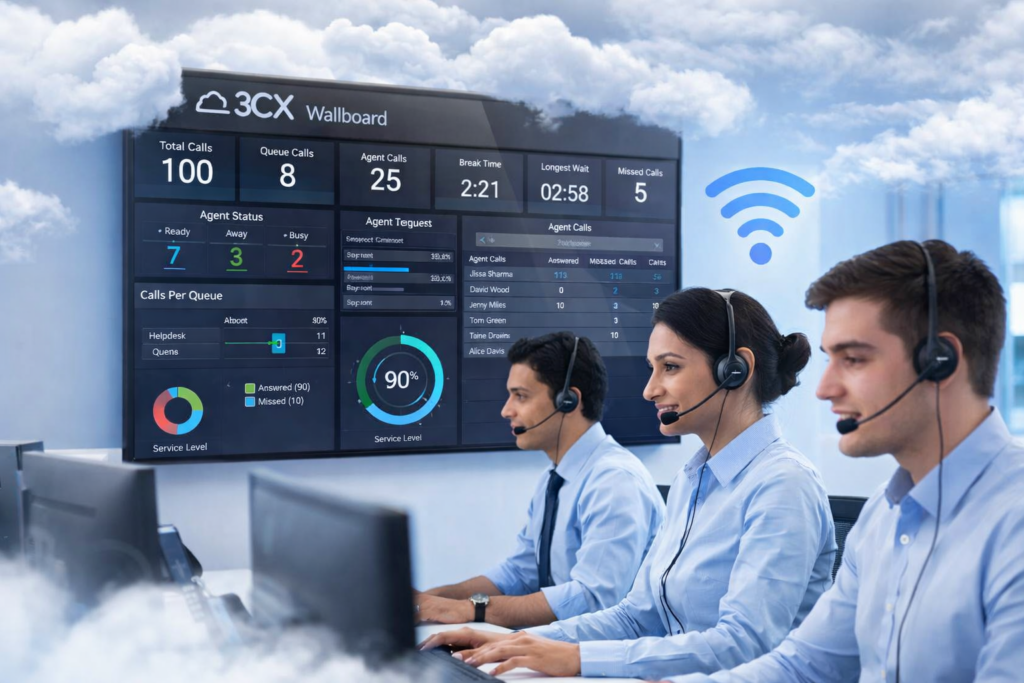
Interactive Wallboard
Display key metrics on a large screen in the office room. Monitor queue length, answered calls, average wait times, and active agents in real-time.
Personalized Dashboard
Every supervisor has access to a dedicated dashboard to view team performance statistics, identify bottlenecks, and make data-driven decisions instantly.
Reporting Analytics
Get automated daily, weekly, or monthly reports sent directly to your email for in-depth evaluation.
Key Features of Customer Service
Queue Management
This feature ensures that no calls are missed even when all agents are busy.
Automatic Call Distribution (ACD): Automatically distributes incoming calls to available agents.
Callback Option: Allows customers to hang up without losing their spot in the line; the system will call them back once an agent becomes available.
Queue Strategies: Various distribution methods such as Round Robin (taking turns), Longest Idle (agent who has been idle the longest), or Hunt Random.
Interactive Voice Response (IVR)
An automated voice menu that greets customers when they first call.
Multi-level IVR: Example: “Press 1 for Sales, Press 2 for Technical Support.”
Self-Service: Allows customers to retrieve information (such as checking balances or delivery statuses) without having to speak to an agent.
Monitoring & Supervision
Special features for managers or supervisors to maintain service quality.
Listen (Silent Monitoring): Supervisors can listen to conversations without the knowledge of the agent or the customer.
Whisper: Supervisors can give direct instructions to the agent without being heard by the customer (extremely useful for training new agents).
Barge-in (Interruption): Supervisors can take over or join the conversation during difficult situations.
Reporting & Analytics
Data is the key to improving call center efficiency.
SLA Tracking: Monitors whether calls are answered within specified time limits (e.g., under 20 seconds).
Abandoned Call Report: Reports on how many callers hung up before being connected.
Agent Productivity: Tracks total talk time, call volume, and break times for each agent.
CRM Integration
onnects the phone system with customer databases (such as Salesforce, HubSpot, or Zoho).
Screen Pop-up: When a call rings, customer data automatically pops up on the agent’s screen.
Click-to-Call: Agents can call customers simply by clicking a number on their computer screen.
Call Journaling: Every call activity is automatically logged into the customer’s history in the CRM.
Call Recording
- Quality Assurance: Recordings are used to evaluate how agents handle complaints.
- Compliance: Fulfills legal regulations or standard company procedures regarding phone transactions.
Real-Time Wallboard & Dashboard
Data visualization in the workspace to keep the team focused on targets.
Total Calls: Total number of incoming calls today.
Waiting Calls: Current number of people waiting in the queue.
Average Talk Time: Average duration of conversations.
Omnichannel Capabilities
Modern call centers manage other channels beyond just voice:
Live Chat Integration: Replies to website chats directly from the call center application.
WhatsApp/SMS Integration: Manages incoming social media messages in the same inbox alongside phone calls.