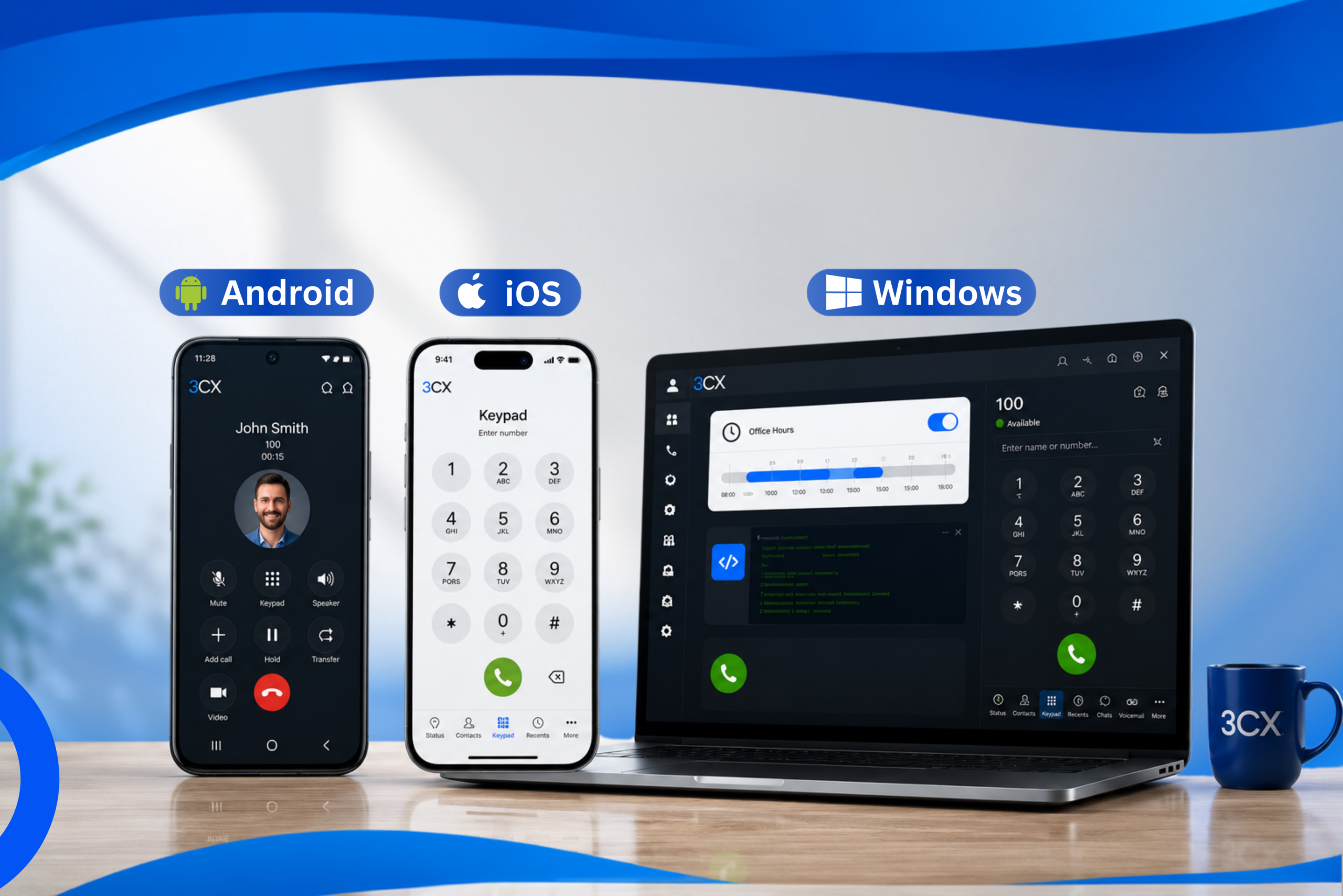

If you use 3CX as your business communication system, there is good news. 3CX has officially released the V5.6 update for the Android, iOS, and Windows Softphone apps. Although it is not an update that brings a lot of new features, this version focuses on improving security, stability, performance, and user experience.
What does that mean? The apps are more stable, safer to use for everyday work, and some bugs that were bothersome before have now been fixed.
Why Is the V5.6 Update Important?
In the world of business communication, a stable app matters far more than just new features. Disruptions such as calls failing to connect, app crashes, or problematic call transfers can hold up work.
For that reason, 3CX delivers V5.6 with a main focus on:
- Improved app security
- More stable performance
- Bug fixes for calls and chat
- A more comfortable user experience
- Better device support, especially for Windows Softphone users
3CX Android V5.6 Update
For Android users, this update focuses on improving security while fixing various problems often encountered at work.
What was fixed:
- Security enhancement to improve app security.
- Voicemail status now appears more accurately.
- A crash when receiving H264 video calls on some devices (especially Pixel) has been fixed.
- The BLF (Busy Lamp Field) destination-not-found problem is now handled better.
- A bug in the Call Recording feature that could previously stop after a recording failure has been fixed.
- Fixes to answering and transferring calls after certain errors occur.
The result is that the Android app is more stable to use for daily communication and remote working.
3CX iPhone (iOS) V5.6 Update
iPhone users also get an update focused on improving stability.
Some of the fixes include:
- More accurate voicemail status.
- A chat display that was previously cut off in some languages has now been fixed.
- BLF management is more stable.
- Overall improvement in app performance and reliability.
Although it looks simple, this update makes using the app far more comfortable for everyday communication.
Windows Softphone V5.6 Gets New Features
Unlike Android and iOS, which focus more on bug fixing, 3CX Windows Softphone V5.6 brings some quite interesting new features.
1. Override Office Hours Directly from the Softphone
Now users with Receptionist rights or higher can change the Office Hours schedule directly from the Softphone app.
This feature is very helpful when the company has a sudden change in operating hours without having to open the Web Client first.
2. More Flexible Deployment with the Command Line
For IT teams, the Softphone now supports configuration through Command Line Arguments.
This means administrators can:
- Set the PBX host
- Enable or disable Echo Cancellation
- Set the ringtone volume
- Set the microphone sensitivity
- Enable CRM Integration
- Enable TAPI
- Perform automatic deployment using scripts
This feature greatly simplifies mass installation in a company environment.
3. Better Poly Headset Support
3CX also improves integration with HP’s Poly Lens SDK.
The benefits:
- Faster headset detection
- More stable call control
- Supports more of the latest Poly devices
- Improved audio device reliability
This is good news for companies that use professional headsets for call center and customer service activities.
4. Softphone Bug Fixes
Besides the new features, there are various refinements such as:
- Yealink headsets can be detected again after restarting the app.
- A bug in the Attended Transfer process has been fixed.
- Voicemail status is now more accurate.
- Keyboard shortcut consistency is better.
- Various overall app stability improvements.
Who Should Update?
Version V5.6 is highly recommended for:
- Companies that use 3CX every day.
- Customer service and call center teams.
- Hybrid employees and Work From Home (WFH) staff.
- IT administrators who manage many devices.
- Windows Softphone users who need more flexible deployment.
Because this update focuses on improving security and stability, updating will help reduce potential disruptions when communicating.
Conclusion
Although it does not bring many revolutionary features, 3CX V5.6 is a very important update. Android and iOS now offer more stable performance and improved security, while the Windows Softphone gets new features that make it easier for administrators and receptionists to manage the communication system.
For companies that rely on 3CX as their main communication platform, this update is worth installing so the work experience stays smooth, secure, and more efficient.