
VoIPCall is a 3CX SIP Trunk provider in Indonesia that has been certified and has passed the interoperability test by the 3CX Team.
Without any manual configuration, you can set up your 3CX PBX yourself with the SIP Trunk Template provided by 3CX.
How do you configure it?
- Before configuring the VoipCall 3CX SIP Trunk Provider Indonesia, you must make sure the NAT configuration (Port Forwarding) on your firewall/router has been opened. The list of port forwarding rules can be seen here.
- Run a Firewall check to see whether your firewall or router allows VoIP data traffic to the internet. The 3CX system configuration requires certain ports to be open so the phone system can communicate properly. For more guidance, see here
- If SIP ALG is enabled, 3CX requires you to disable it so that no problems arise during configuration. Here is an explanation of several configuration topologies along with a short guide on how to disable SIP ALG on several routers
- The 3CX version used must be V18 or higher
- To configure, choose the “SIP trunk” menu and choose “Add SIP Trunk”
- Select Country: ID (Indonesia), Select Provider: VoipCall
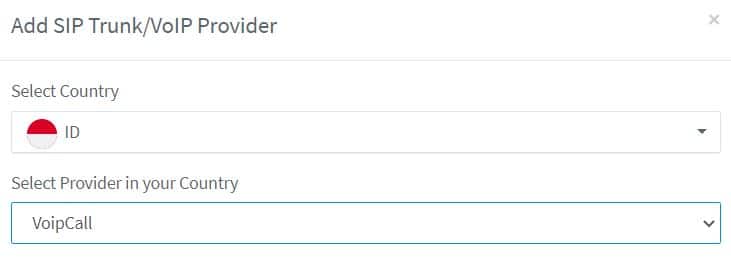
- Enter the DID provided by the VoipCall team, then press OK.
- In the “General” menu, choose “Trunk Details” and enter the Trunk Name: VoipCall, then enter the SIP trunk IP Address provided by the VoipCall team. After filling in those credentials, press the OK button at the top.
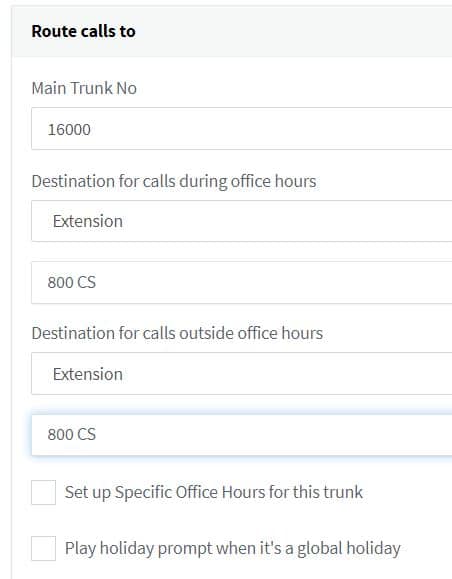
- Point your DID number in the Route call to menu to an IVR number or an extension number when there is an incoming call.
Creating an Outbound Route
To place outbound calls, you must add a route in the outbound rule menu so that the numbers you dial are forwarded to VoipCall. To understand the outbound rules process, you can see references and examples here
Conclusion
With the ease offered by 3CX and VoipCall, you can configure using a template that is already provided and has been tested by the 3CX Team. You can use this SIP trunk on-premises or in the cloud very easily.