Integrasi Microsoft Teams dengan Sistem Telepon Bisnis


Microsoft Teams telah menjadi platform kolaborasi utama bagi banyak perusahaan. Namun, untuk kebutuhan telepon bisnis (PSTN Calling) yang profesional, fleksibel, dan terkontrol, dibutuhkan integrasi dengan sistem telephony yang andal.

Melalui Direct Routing, Microsoft Teams dapat diintegrasikan dengan 3CX IP PBX yang berfungsi sebagai Session Border Controller (SBC). Solusi ini memungkinkan perusahaan menggunakan Microsoft Teams untuk melakukan dan menerima panggilan telepon melalui infrastruktur telephony yang sudah ada.


What Is Microsoft Teams Direct Routing?

Direct Routing is Microsoft’s official method for connecting Microsoft Teams to a third-party IP PBX or SIP Trunk, eliminating the need for a Microsoft Calling Plan.

With Direct Routing, enterprises can:

  • Retain existing phone numbers
  • Maintain full control over call routing
  • Optimize and reduce communication costs
  • Seamlessly integrate Microsoft Teams with enterprise PBX systems


The Role of 3CX as a Session Border Controller (SBC)


3CX serves as a Session Border Controller (SBC) that bridges Microsoft Teams with phone networks (SIP Trunk / PSTN).


Key Functions of 3CX as an SBC

  • Securing SIP Communications: Encrypts and protects signaling and voice media streams.
  • Managing Signaling and Voice Media: Handles call setup and media flows seamlessly.
  • Maintaining Voice Quality (QoS): Ensures optimal voice delivery and network reliability.
  • Controlling Inbound & Outbound Routing: Directs incoming and outgoing call flows efficiently.
  • Integrating Advanced Features: Centralizes call recording, call logs, and reporting.
With 3CX, Microsoft Teams doesn’t operate in isolation—it becomes an integral part of a centralized enterprise phone system.


MS Teams & 3CX Integration Architecture

General Integration Flow:
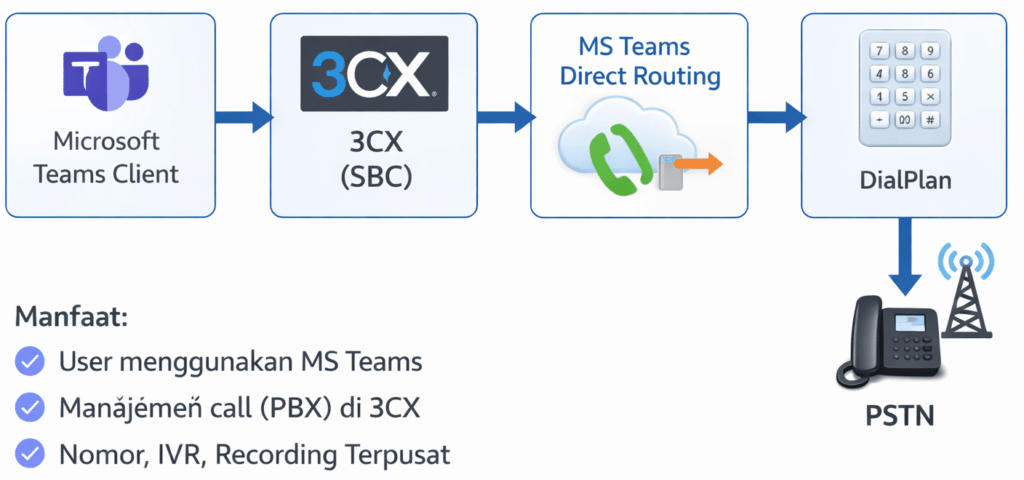
With this architecture:

  • Users continue using Microsoft Teams as their primary interface.
  • Call management remains centered on 3CX for robust administrative control.
  • Phone numbers, IVR, call recording, and reporting are fully centralized.

Key Features of MS Teams & 3CX Integration

  • 📞 Professional Phone Calls
    • Direct inbound and outbound calls within Microsoft Teams.
    • Utilize existing company/business phone numbers.

  • 🔐 Enterprise-Grade Security
    • Built-in TLS and SRTP encryption.
    • Firewall protection and SBC managed through 3CX.

  • 📊 Call Recording & Reporting
    • Automated call recording.
    • Centralized call logging.
    • Communication performance dashboards.

  • 🧩 Integration with Third-Party Systems
    • Seamless CRM integration (Kommo, Salesforce, etc.).
    • Call center features and queue management.
    • Customizable IVR and call flow configurations.

  • 🌍 Flexible Remote Work Options
    • Work seamlessly from the office, home, or abroad.
    • Retain and present official corporate phone numbers anywhere.
Advantages of Using Cloud PBX Over Conventional SBC

Feature
3CX SBC
Conventional SBC

Cost

 More cost-effective

Expensive

Configuration

Quick & easy

 Complex

Monitoring

Integrated dashboard

Separate / Disconnected

Scalability

Flexible

Limited

Call Center Integration

Native call center integration

Limited


Who is this system for?

This solution is ideal for:

  • Companies with active Microsoft 365 / Teams deployment

  • Call centers & customer service teams

  • Multi-branch enterprises

  • Remote sales & support teams

  • Businesses looking to optimize communication costs

Why Choose SolusiPBX?

As a certified 3CX partner, SolusiPBX provides:

  • Direct Routing architecture design

  • End-to-end implementation & configuration

  • Local & international SIP Trunk integration

  • Dedicated local support in Indonesia

  • Continuous monitoring & maintenance

We ensure your Microsoft Teams and 3CX integration runs reliably, securely, and is production-ready.


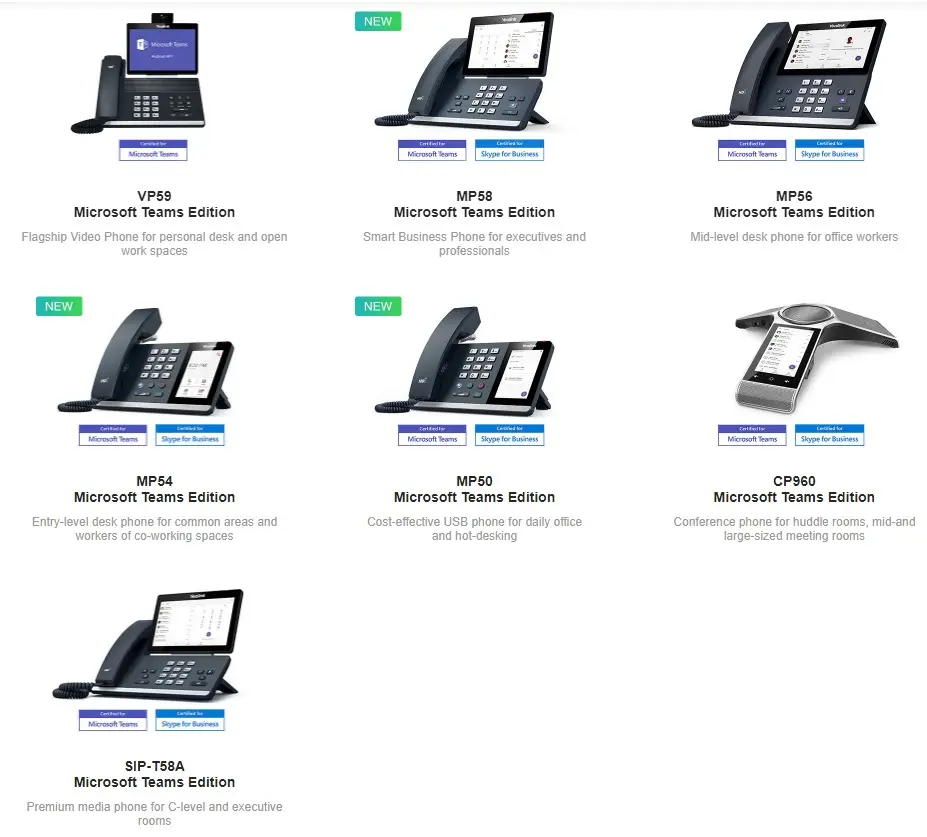
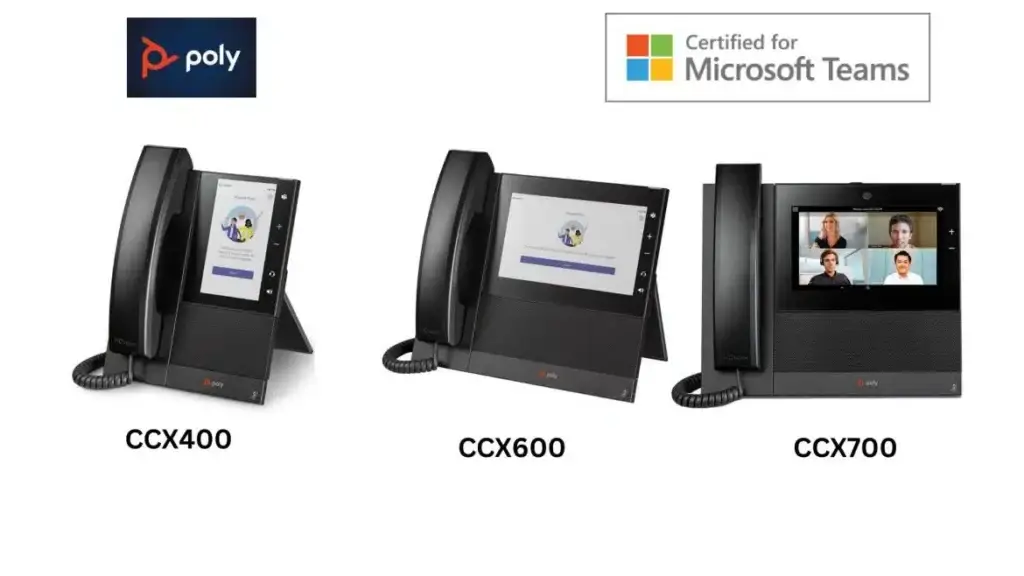
Certified IP Phone Devices

Hubungi Kami