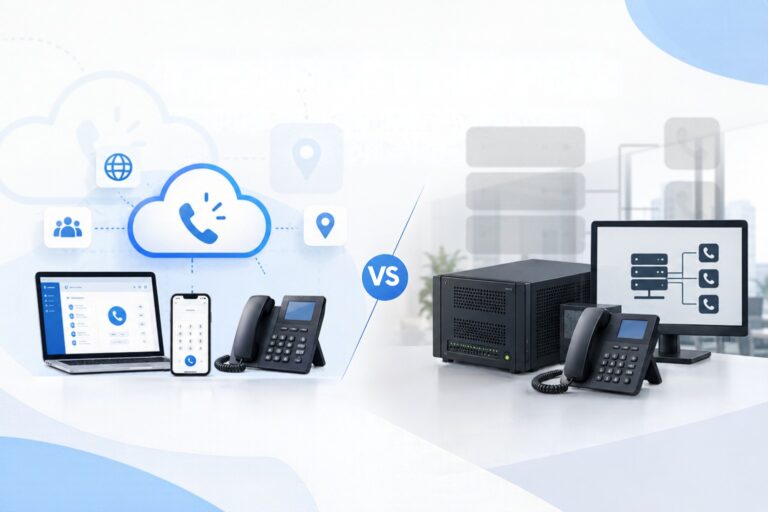
Which Is Right for Your Branch Offices: SBC or Bridge?
Do you have a head office and several branch offices in different cities? Chances are, you want all employees to be able to call one another easily, even by simply dialing an extension number.
In 3CX, there are two components commonly used to connect multiple locations: Bridge and SBC. Both can help connect different offices, but they serve different purposes and work in different ways. Choosing the wrong one can make your phone system more complicated to manage in the long run.
This article explains the differences in simple terms.
First, Decide: One PBX or Multiple PBXs?
Before choosing between Bridge and SBC, answer this question:
Does each office need its own phone system (PBX), or can all offices share a single PBX?
There are two different aspects to consider:
PBX deployment: Where extensions, phone trunks, call queues, and business hours are configured.
Inter-site connectivity: How calls and telephony traffic move between offices.
The order matters: decide on your PBX model first, then choose the appropriate connectivity solution. Reversing this order can make your numbering plan and network architecture more difficult to explain and maintain.
What Is a Bridge?
A Bridge connects two or more independent 3CX PBX systems, allowing employees in one office to call employees in another office.
Think of it this way: each office has its own receptionist, but the receptionists can connect calls between offices.
A Bridge is suitable if:
Each branch has its own administrator.
Each branch has its own phone trunk.
Each branch has different business hours, call queues, or call-handling rules.
You want each phone system to remain independent while still allowing employees to call one another.
Things to Keep in Mind
A Bridge does not merge multiple PBXs into a single system. Contacts and configurations remain separate on each PBX. Presence information is also not automatically shared across locations; additional configuration is required to enable this functionality.
What Is an SBC?
An SBC (Session Border Controller) connects phones at a branch office to a PBX located elsewhere, such as at the head office or in the cloud.
Think of it this way: the branch does not have its own receptionist. All calls are handled by the central receptionist, and the SBC acts as the connection between the branch phones and the central PBX.
An SBC is suitable if:
You want a single PBX for all offices.
Extensions, trunks, call queues, and policies should be managed from one central location.
Branch offices only need IP phones and a local area network (LAN), without a separate PBX.
Things to Keep in Mind
An SBC does not create a new PBX at the branch or replicate PBX configurations.
The device or computer running the SBC needs a fixed local IP address (static IP) and must remain powered on while the phones are in use. Think of the SBC as an essential part of the phone system, just like the LAN, firewall, and power supply.
For very small branches, the 3CX app or phones that support direct connectivity may be a more practical option than deploying an SBC.
A Quick Comparison
| Aspect | Bridge | SBC |
|---|---|---|
| Number of PBXs | Multiple independent PBXs | One centralized PBX |
| Function | Connects separate PBX systems | Connects branch phones to the central PBX |
| Administration | Can be managed separately at each branch | Centrally managed |
| Phone trunks | Can differ between branches | Managed through the central PBX |
| Best suited for | Branches that need operational independence | Branches that need a simple, centralized system |
As a rule of thumb, choose Bridge if each branch needs independent control. Choose SBC if you want centralized management.
Plan Your Extension Numbering Carefully
Regardless of which option you choose, your extension numbering plan must be clear. There are two common approaches:
Prefix-based numbering: Users dial a branch code followed by the destination extension. For example, use the prefix 2 for Surabaya, followed by the destination extension number.
Extension range-based numbering: Each office has its own extension range. For example, Branch A uses extensions in the 1xx range, while Branch B uses the 2xx range.
Whichever approach you choose, your outbound rules must align with the numbering plan. Establish your numbering strategy before users start making calls.
Implementation Checklist
Make sure the following items are clearly defined before implementation:
- PBX model: Decide whether to use separate PBXs connected through a Bridge or a centralized PBX with SBCs.
- Numbering plan: Document the prefix or extension range assigned to each office.
- Fully Qualified Domain Name (FQDN): Use FQDNs consistently instead of IP addresses. For on-premises PBX deployments, consider implementing split DNS.
- Firewall: Review firewall rules at every location. Use the 3CX Firewall Checker and disable SIP ALG on the router.
- Responsibilities: Clearly assign responsibility for each PBX, Bridge, SBC, phone trunk, and extension numbering change.
- Testing: Test the entire setup from the end user’s perspective.
What Should You Test?
Do not test just one call. Make sure you also test the following:
Inter-branch calls, incoming calls, and outgoing calls.
Desk phones, mobile apps, desktop apps, and the Web Client.
Push notifications.
Call queues, call transfers, and IVR.
Emergency calling procedures.
Call recordings and integrations.
Presence information across locations.
Common Mistakes to Avoid
Using a Bridge when centralized extensions are needed. This forces administrators to manage multiple PBXs unnecessarily.
Using an SBC when a branch needs its own PBX and phone trunk. An SBC cannot replace a local PBX.
Using inconsistent extension numbering rules across branches. Users may become confused and dial the wrong extensions.
- Using IP addresses instead of FQDNs. This
Conclusion
Bridge: Each office has its own PBX, and the systems are connected.
SBC: All offices share one PBX, with branch phones connected to the central system.
Decide on the PBX model first, then choose the appropriate connectivity solution.
Plan your numbering, DNS, and firewall configuration from the beginning, and test the system from the end user’s perspective.
Make sure every component has a designated owner and a clear testing procedure.
If the design is difficult to explain—for example, if you cannot clearly describe how a user at Branch A calls an extension at Branch B—your architecture is not yet fully defined.
Need Help Designing a Multi-Branch Phone System?
Our team is ready to help you determine the right 3CX architecture for your business, from consultation and installation to testing.
Contact us at SolusiPBX.