



Backup and Restore Feature

Updated on September 30, 2026
2 min read
The Backup feature in 3CX is important for protecting your system from data loss, and doubles as a safety net. This backup feature can also be used to migrate to a new 3CX server or prepare a standby server in case the main one runs into trouble. So how do you actually use the Backup and Restore features in 3CX? Let’s walk through the steps.
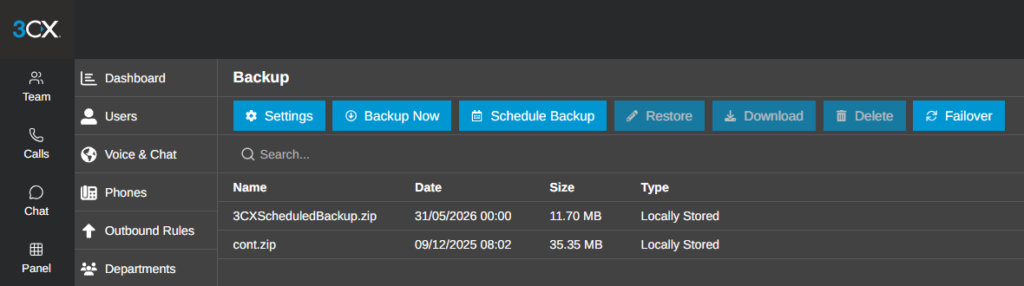
Steps to use the Backup feature: #
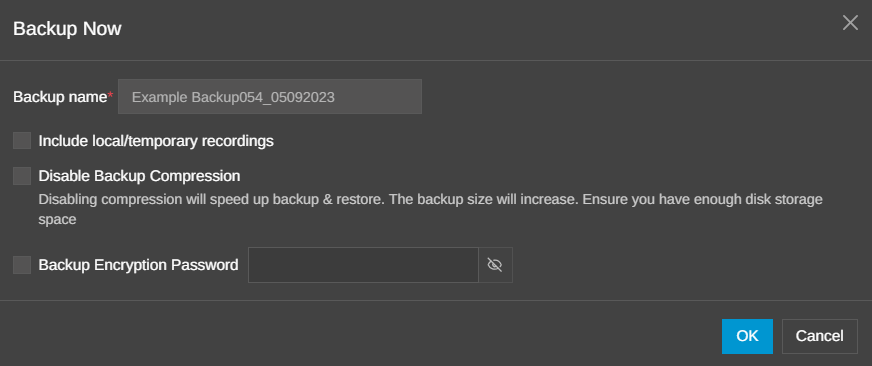
- Click the “Backup Now” button and give the backup a name.
- Check the box to include local recordings in the backup.
- Set an optional encryption password.
- Click “OK” to start the backup — your System Administrator and System Owner will be notified by email once the backup finishes or fails. You can add more recipients under Event Log → Notifications.
- The new backup will appear in the backup repository window.
Steps to use the Scheduled Backup feature: #
Besides manual backups, 3CX also supports Scheduled Backup, so backups can run automatically.
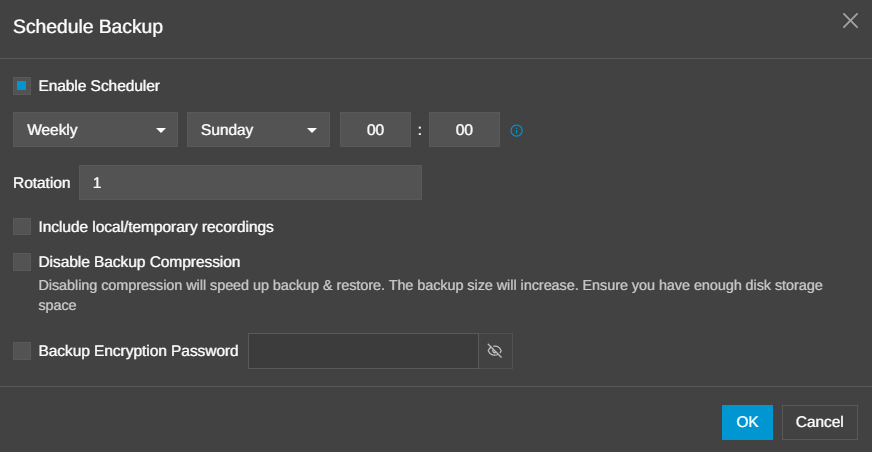
- Click the “Scheduled Backup” button and enable the “Enable Scheduled” option.
- Choose when the backup should run — “Hourly”, “Daily”, or “Weekly” — and set the time.
- Choose the backup rotation, i.e. how many backups to keep before the oldest one gets overwritten.
- Click “OK” to schedule your backup.
Restoring a Backup File with the Restore Feature #
Once a backup file has been created, it can be used or applied at any time to restore your system configuration through the Restore process. How do you do it? Follow the steps below.
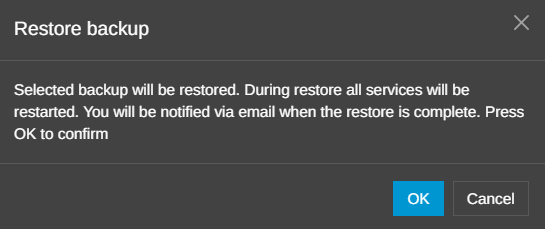
- Select the file you want to restore, then click the “Restore” button.
- Click “OK” to confirm the restore. All 3CX services will restart during the operation.
Conclusion #
The Backup & Restore feature in 3CX helps administrators keep their system configuration safe while making migration and recovery much easier when something goes wrong. By backing up regularly and storing those backups in a safe location, you can minimize the risk of data loss and get your business communication system back up and running much faster.