
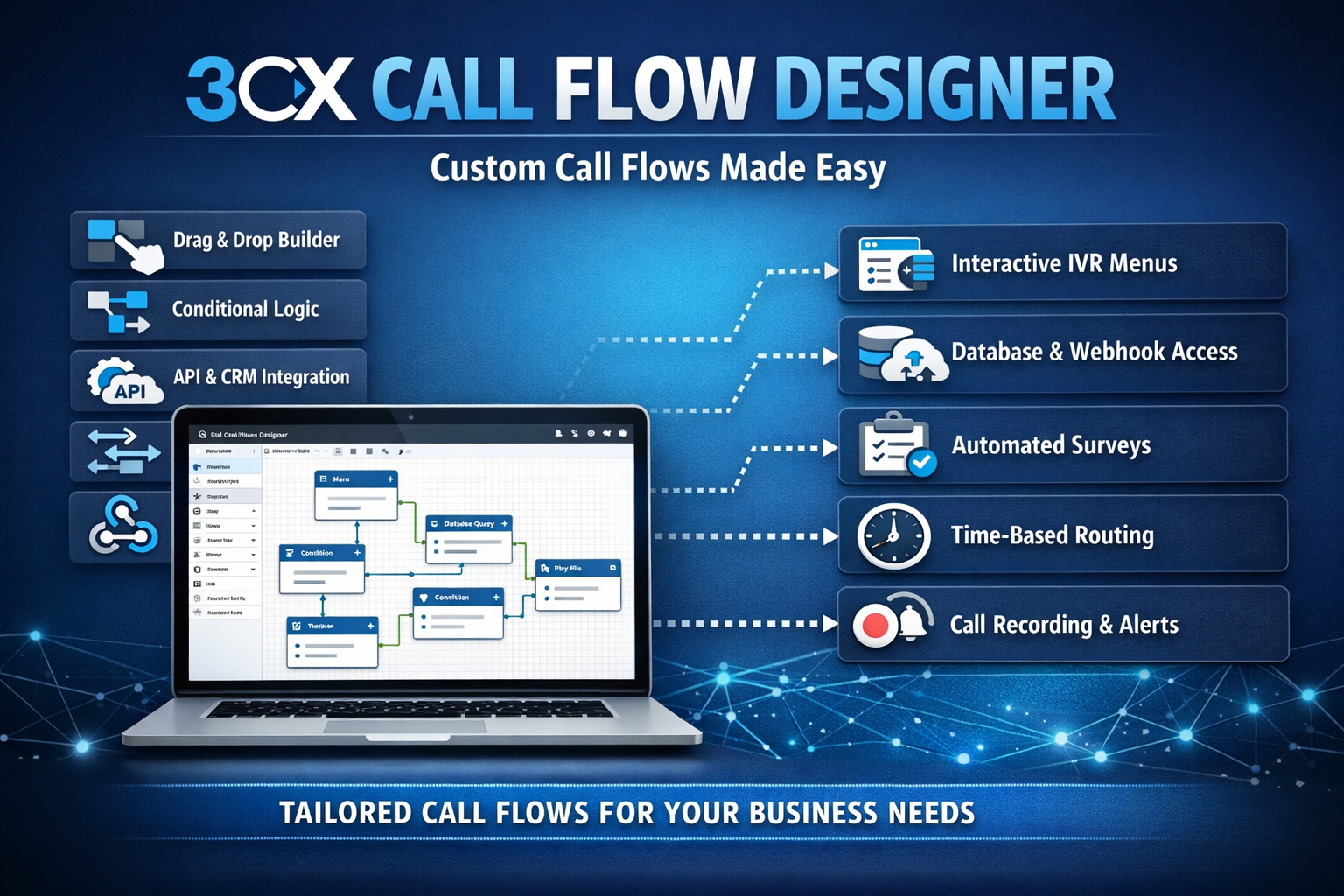

In modern VoIP-based phone systems, a structured and professional calling experience is no longer just a necessity—it must be one of the cornerstones of customer service. This is where 3CX’s Call Flow Designer (CFD) comes in as a comprehensive solution for designing call flows tailored to your business needs.
What Is a Call Flow Designer?
Call Flow Designer is one of the standout features of the 3CX phone platform, allowing administrators or developers to create complex call logic in a visual and flexible way—without the need for heavy-duty coding like traditional programming languages.
With CFDs, you can:
✅ Create interactive call flows
✅ Configure call “journeys” based on specific data and conditions
✅ Integrate external logic (e.g., databases, CRM/ERP systems)
✅ Set up IVR, dynamic routing, auto attendants, and more
All of this is done through a flowchart-based drag-and-drop interface, so even non-technical users can grasp it quickly.
Key Features of the Call Flow Designer
Here are the most useful and frequently used features of 3CX CFD :
🔹 1. Drag-and-Drop Visual Workflow
The call flow design is presented as process blocks that can be dragged and dropped.
No manual coding required—simply connect the blocks according to your desired logic.
🔹 2. Variables & Data Handling
CFD can manage variables such as:
📍 Caller ID
📍 Keypad input (DTMF)
📍 Data from webhooks/APIs
📍 User information / other systems
Variables can be used to determine routes, answer automated questions, or store call information.
🔹 3. Conditional / Branching Logic
You can create conditions such as:
➡ If the call comes in during business hours → route it to the agent queue
➡ If it’s outside business hours → play a message and direct the call to voicemail
➡ If the call is from a VIP → route it directly to the supervisor
This makes the call flow smarter and more tailored to your needs.
🔹 4. Integration with Other Apps
CFDs can be triggered by webhooks or APIs, allowing them to integrate with various systems such as:
📌 CRM (e.g., Kommo, Zoho, Salesforce)
📌 Internal database
📌 Support ticketing service
📌 Notification system
🔹 5. Recording, Timer, and Error Handling
You can configure call recording, set timeouts, and define fallback procedures in case of errors.
The Benefits of Call Flow Designer for Businesses
✅ 1. A More Professional Call Experience
With CFDs, all calls can go through structured logic—for example, an automated greeting followed by menu options—without the need for a human to answer directly.
🎯 This creates the impression of consistent and standardized service.
✅ 2. Automating Customer Interactions
Instead of operators having to ask the same questions over and over again, CFD can automatically request the data—for example:
🔹 “Enter your customer number…”
🔹 “Press 1 for billing, 2 for support…”
This speeds up problem resolution and reduces the agents' workload.
✅ 3. Smart Routing and Resource Management
CFD allows calls to be routed based on:
📍 Operating hours
📍 Customer type
📍 Agent availability status
📍 Customer history data
The result: more efficient calls that are in sync with your business operations.
✅ 4. Real-Time Customer Data Integration
With the API/webhook, CFD can:
✔ Display customer data when a call comes in
✔ Send automatic tickets
✔ Update the CRM after the call ends
This helps the support team work with the full context—not just a phone number.
✅ 5. Unlimited Customization
Since the flow can be customized to your needs, you are free to implement:
🔹 Multilingual IVR calls
🔹 Automated post-call surveys
🔹 Custom menus based on marketing campaigns
🔹 Custom statistics & reports
There are no set rules—you can design anything you like.
📍 Real-World Use Cases
🎯 Case 1 — E-Commerce Company
Flow:
📞 Incoming call → auto attendant → option buttons:
Order status → check database → automatic notification
Returns/Refunds → Contact Customer Support
Promotion → Play the latest promotional audio
🎯 Case 2 — Health Clinic
Flow:
📞 Answer the call → options: Appointment / Consultation / Administration
➡ Validate patient number
➡ Display appointment information
➡ Send an automatic confirmation SMS
🎯 Case 3 — B2B SaaS
Flow:
📞 VIP customers → go directly to the supervisor’s hotline
Automatic call log → update CRM → assign follow-up
How to Get the Most Out of CFDs?
Start with a pre-design diagram:
Sketch out the call flow first before using drag-and-drop.
✨ Use variables for personalization
For example, address the customer by name from the CRM when calling them back.
✨ Unit and edge case testing
Ensure that failed or timed-out requests still have a fallback process.
✨ Log all transactions at
so that call performance and bottlenecks can be analyzed.